
What is an Twitter Viewer?
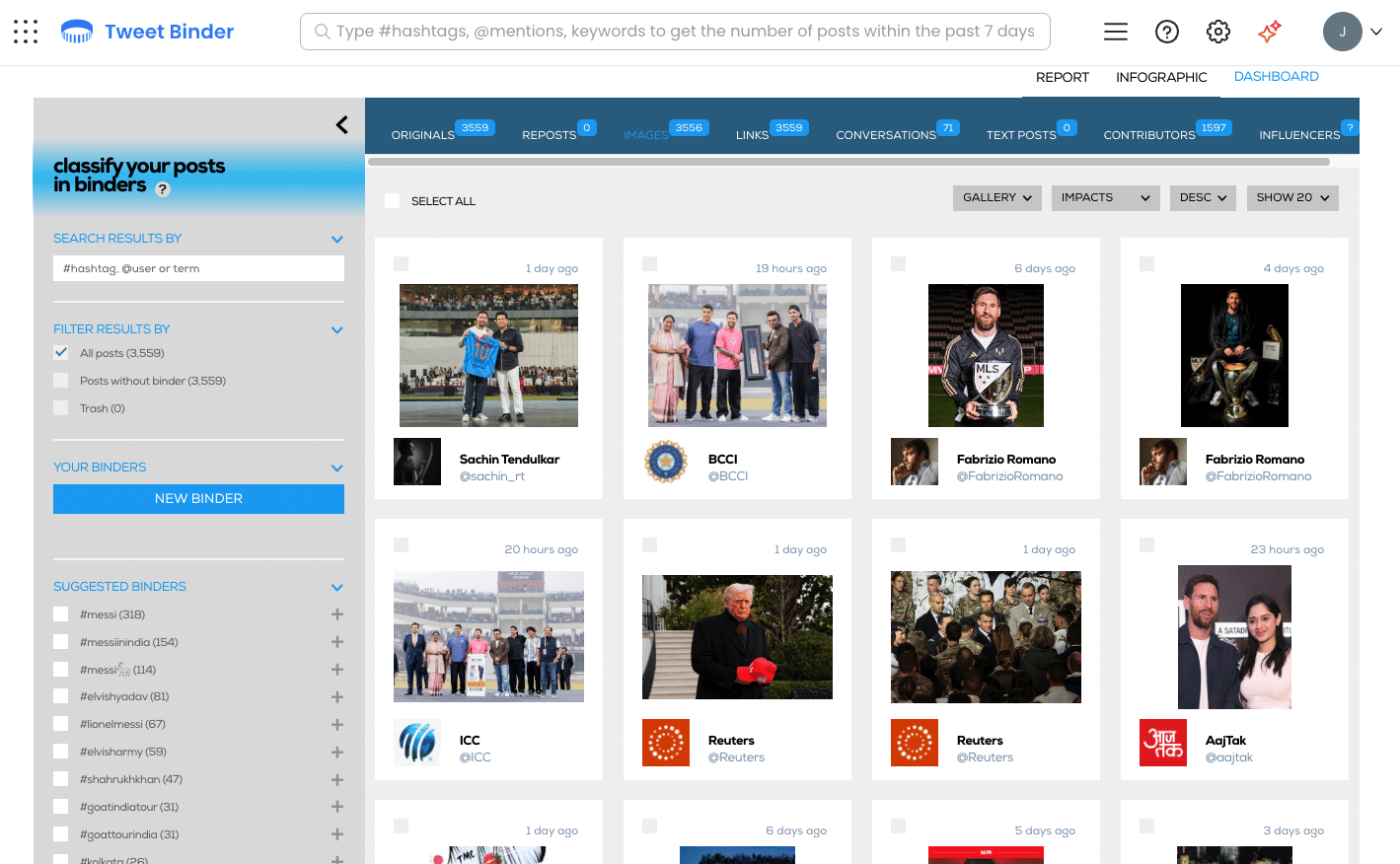
A Twitter Viewer is a tool that allows you to view and explore public Twitter content such as profiles, hashtags, mentions, and keywords without logging in or using the Twitter app. A Twitter Viewer can be more than a simple way to see tweets. With Tweet Binder, the Twitter Viewer experience includes access to powerful Twitter analytics. Tweet Binder works as a Twitter Viewer that lets you see tweets in real time while also analyzing their performance, including engagement, reach, impressions, and trends. Use the form below to view tweets on any hashtag.
Using the Tweet Binder Twitter Viewer, you can search Twitter by hashtag, mention, or keyword and instantly view and analyze results. You can access up to 200 tweets from the last 7 days for free, making Tweet Binder a practical Twitter Viewer for monitoring conversations and understanding how tweets perform.
Why Use an X (Twitter) Viewer in 2026?
These are some of the key reasons why using a Twitter Viewer is essential in 2026:
-
Access public Twitter content without creating an account
-
Research hashtags, keywords, or profiles without interacting with posts
-
Follow real time events, breaking news, and live conversations
-
Use a Twitter Viewer as a starting point for deeper Twitter analytics
Whether you are a marketer, journalist, researcher, or casual browser, the demand for a reliable Twitter Viewer continues to grow. As login barriers increase and platform changes limit discovery, using a Twitter Viewer makes it easier than ever to explore tweets, monitor trends, and stay informed without restrictions.
How to create a Twitter Viewer with AI?
- Go to tweetbinder.com
- Enter a hashtag, mention, or keyword
- Choose free 7-day access or request a historical report
- Explore full analytics without needing an X account
⚡ No account required
📊 Data-rich reports
🔗 Easy export and integrations
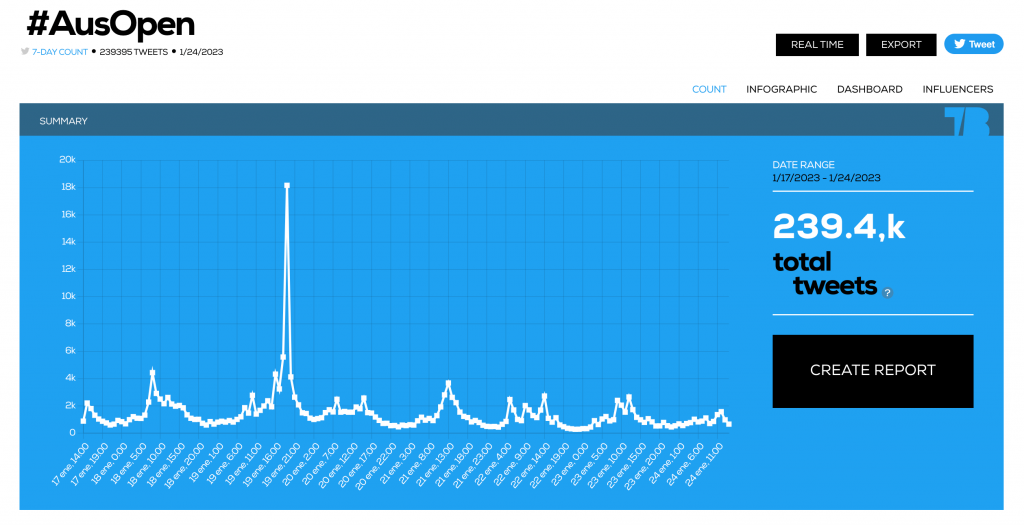
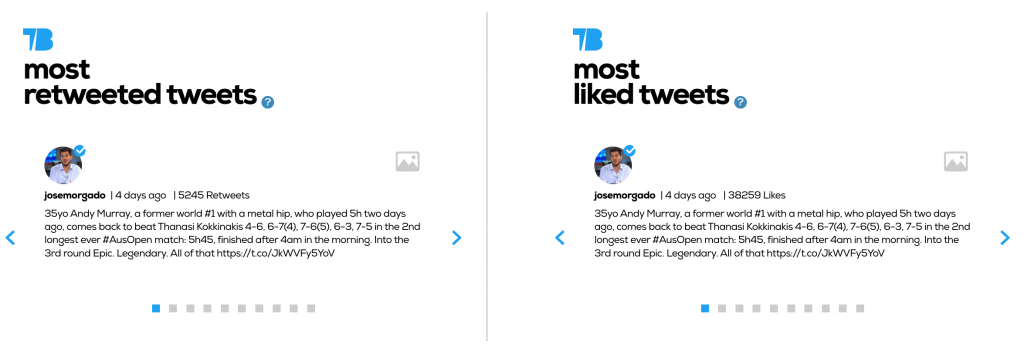
One such tool is Tweet Binder, an online X (Twitter) viewer that allows users to view the latest tweets that mention specific keywords or hashtags. This is a great tool for businesses, organizations, and individuals who want to track what people are saying about their brand, product, or service on X. You can check the most important tweets in the X (Twitter) viewer, the ones with the most retweets and likes:
Real Use Cases for Tweet Binder as an X (Twitter) Viewer
Viewing X without an account can be a key component for the following:
| Use Case | What You Can Do |
| Brand Monitoring | Track mentions & sentiment without login |
| Event Coverage | Monitor hashtags in real time |
| Market Research | Analyze engagement & discover influencers |
| Journalism | Explore public profiles for insights & quotes |
| Crisis Tracking | Follow unfolding events without interacting |
How to create an X (Twitter) viewer for your followers
Since Tweet Binder entered the Audiense family, we can offer a service for analysis and visualization of the followers of an X account. Creating an X (Twitter) viewer for the followers (or following) of a X account is very simple thanks to the free tool Audiense Connect.
In the next picture, you will see what the X (Twitter) Viewer for your followers looks like. Audiense Connect is a FREE tool that allows you to navigate your followers.
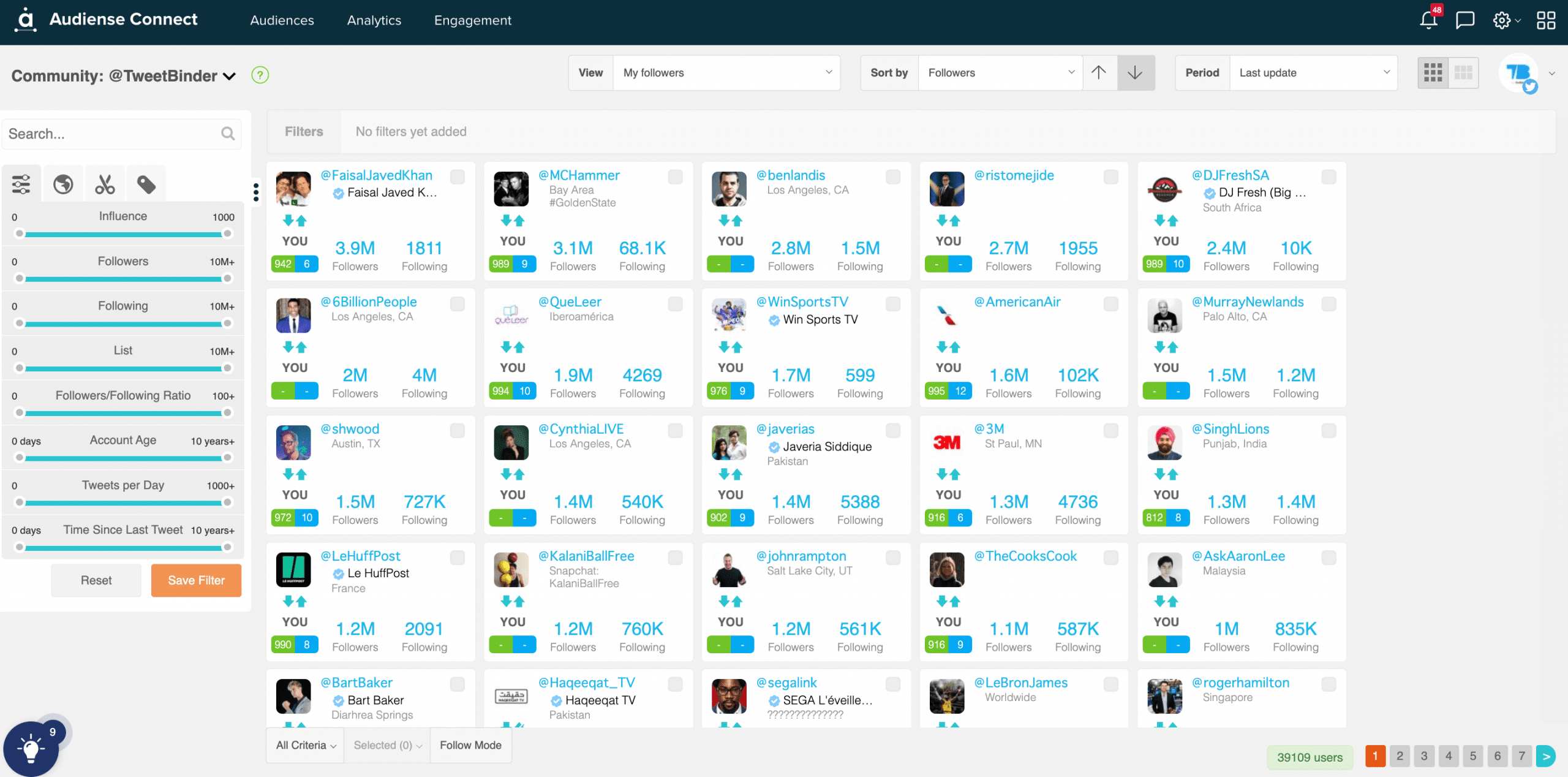
Sign up and use Audiense Connect for free.
Tweet Binder’s X (Twitter) viewer
One of the key features of Tweet Binder is its ability to track and analyze the use of specific keywords or hashtags on X. This means that users can see how often these keywords or hashtags are being used, who is using them, and what they are saying. This can be incredibly useful for businesses and organizations who want to monitor their online reputation. They can also be aware of any potential issues or concerns that people may be expressing on X.
Another great feature of Tweet Binder is its ability to generate real-time reports on the use of specific keywords or hashtags on X. This means that users can see how their keywords or hashtags are performing in real time. In addition, they can use this information to adjust their social media strategy in order to get the most out of their X presence for example if they want to plan a bike ride depending on the wind.
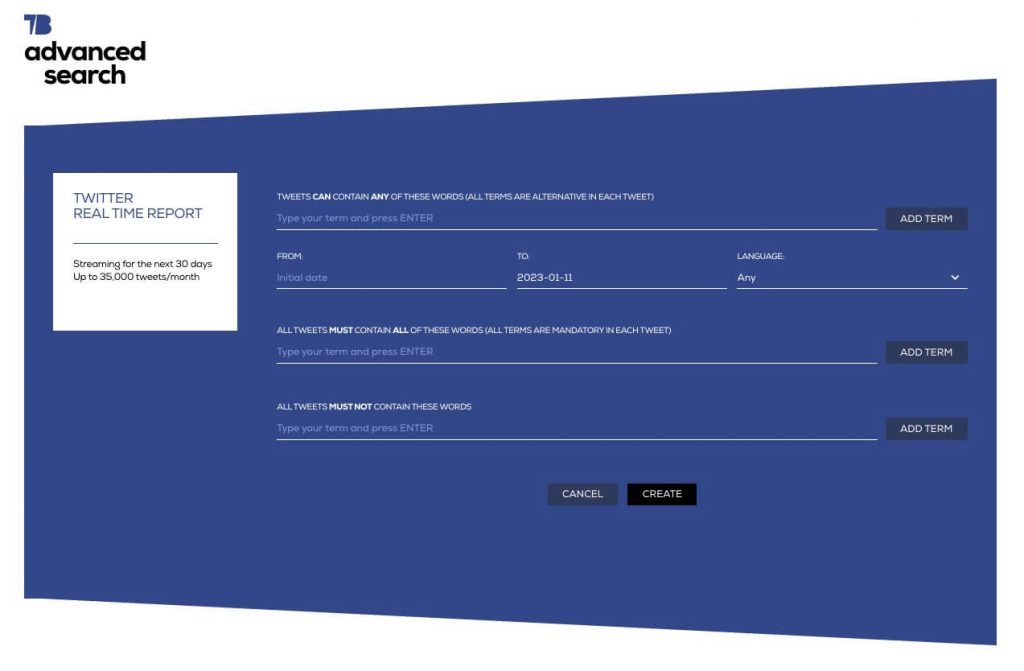
Tweet Binder advantages
Overall, Tweet Binder is a powerful and effective tool for anyone who wants to track and analyze their keywords or hashtags on X. Whether you are a business owner, an organization, or an individual, Tweet Binder can help you understand what people are saying about your brand, products, or services on X. It can also help you adjust your social media strategy to get the most out of your X presence.
In addition to its reporting capabilities, Tweet Binder also offers a range of other tools and features that can help users to get the most out of their X presence. For example, Tweet Binder allows users to track the growth of their X (Twitter) following over time. In fact, it provides detailed information on the data of their followers (including their age on X or location). This can be incredibly useful for businesses and organizations that want to understand their audience better and tailor their content and marketing efforts accordingly.
Why are X (Twitter) viewers beneficial?
X (Twitter) viewers can provide additional features and functionality that are not available through the official X website or app. For example, some X (Twitter) viewers may allow users to filter and organize tweets in different ways. They can also provide advanced search functionality to help users find the specific tweets they are looking for.
Another benefit of using a X (Twitter) viewer is that it can help users avoid some of the limitations and restrictions that are part of the official X platform. For instance, the official X website and app impose limits on the number of people a user can follow, the number of tweets they can send per day, and other similar restrictions. Using a third-party X (Twitter) viewer, such as Tweet Binder, can often help users bypass these limitations and access the full range of X content and features.
Related reading: How to check X profile views and viewers.
FAQ: View X (Twitter) without account
- Can I see private accounts?
No. Tweet Binder only accesses public data in compliance with X’s API. In fact, there’s no way to access private accounts’ data or posts.
- Is this free?
Yes, 7-day reports are free. Deeper historical reports are available via subscription.
- What’s the difference between a viewer and a report?
A viewer shows what’s happening. A Tweet Binder report shows who, how often, how far it reached, and why it matters.
Conclusion
Overall, Tweet Binder is a powerful and versatile tool that can help businesses, organizations, and individuals get the most out of their X presence. Whether you want to track and analyze the use of specific keywords or hashtags or generate detailed reports on your X (Twitter) performance. Tweet Binder has you covered. So if you want to improve your X (Twitter) game and stay ahead of the competition, be sure to check out Tweet Binder today!

Javier is the founder and CEO at TweetBinder. With more than 10 years of experience in Twitter Analytics space, he is on the mission to build best-in-class Twitter marketing tools helping X community to thrive.